
 on 12 May 2016
 Data management features: All about Groups!
“Associate Agency” groups for small collections
For agencies that manage small collections from affiliate groups in the community, you can use the new Group: Associate Agency settings to provide the affiliate’s contact information along with their records.

Too many groups?
Now you can show/hide Groups shared by other agencies…
In data management on your record “Group” screen, click the “Show/Hide” button to see or not see other agencies’ shared groups
Public site features: Meeting user needs, better…
“Print record” button
Let your users print a formatted version of just the metadata from your records.
One click and the user’s print dialogue box will appear. The print-ready result is a formatted version of the record with the record URL, title, description panel contents, and no graphics or files.
 Show us your thumbs!
Display thumbnails for external Links…
Just like in exhibits – when you add an item from an external URL, now you can add a thumbnail to illustrate it!
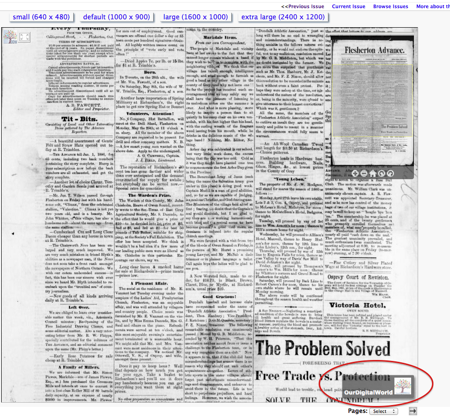 Things you can do with JPEG 2000s…
Add a credit line
While watermarking interferes with the user’s experience of an image, adding a credit line ensures that your organization’s brand floats in the bottom right hand corner of your JPG 2000 viewer.
 OCR Snippets 4 ways
OCR can be downright ugly, but it’s oh, so useful. So we’ve come up with some new ways for you to display your full-text results:
- No snippet (just page links to where the text is found)
- Text snippets (exposed OCR result)
- Image snippets (a picture of the first result – for JPEG2000 only)
- Text & Image (when you have multiple file formats)